Cast & Portrait Setup
Custom Cast & Portrait Guide for Hunger Game Simulator
Stop fighting broken image URLs and red question marks. Paste up to 48 names at once, upload local photos directly in your browser, and back up casts as JSON.
Half the fun of running a Hunger Game Simulator comes from putting familiar faces into the arena—friends from your group chat, coworkers, favorite anime casts, or original characters. Yet the single biggest frustration reported on older simulator forums is broken portraits: copying an image link only to see a blank icon or red question mark once the Bloodbath starts.
This guide explains how to load clean portraits without external image hosts, paste up to 48 custom characters in seconds, and keep reusable backups right on your device. Ready to build yours? Open Edit Cast & Photos on the simulator.
Why external image URLs break—and how local upload fixes them
When you copy a picture link from Google Images, Discord, Fandom wikis, or social platforms, one of three things often goes wrong:
- Webpage links instead of raw images: Copying the browser address bar points to an HTML page rather than an actual
.pngor.jpgfile. - Hotlink and CORS blocks: Many content CDNs inspect the referring site and intentionally block third-party web pages from loading their thumbnails.
- Expiring signed links: Chat platforms like Discord rotate temporary query tokens on attachment URLs, meaning a cast saved last month breaks today.
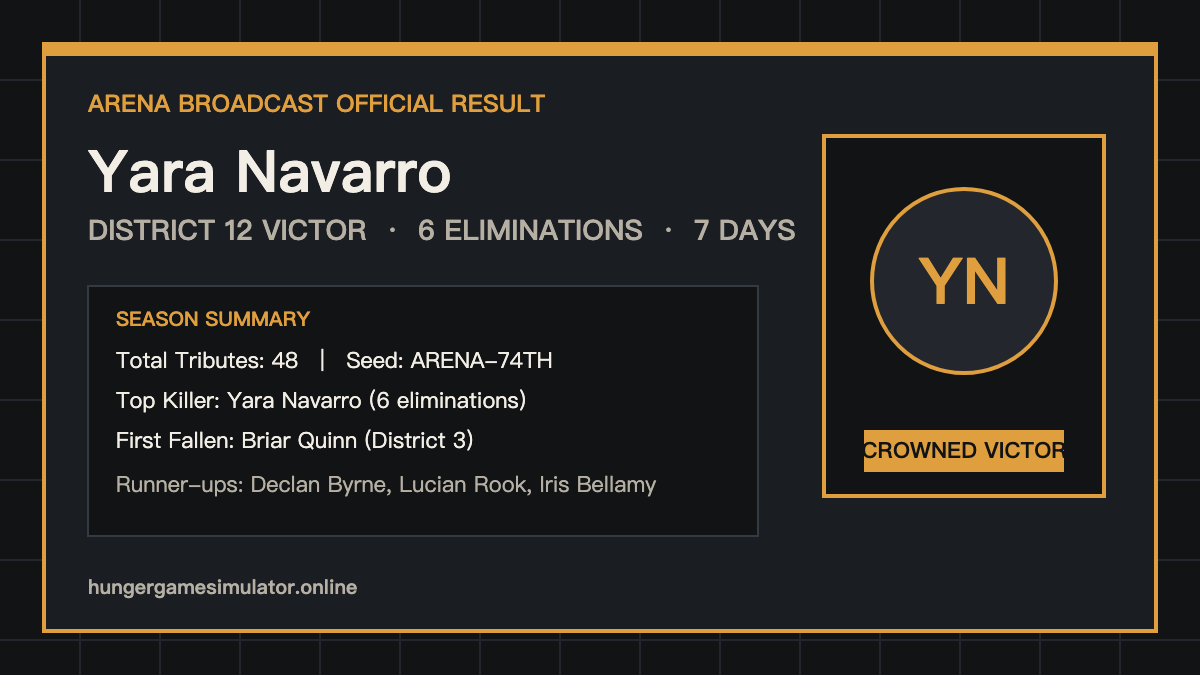
Clicking Upload Photo inside any tribute card solves all three problems permanently. Your browser reads the PNG, JPG, WebP, or GIF straight from your hard drive or camera roll, center-crops it onto an offscreen canvas at 128×128 pixels, and embeds it locally in memory. Nothing touches a remote image host, and portraits render reliably even inside the downloadable Victor Card (PNG).
Still prefer pasting an HTTPS image link? You can paste direct URLs into the Image URL field too. If a remote link ever fails to load during a match, the feed cleanly displays the tribute's monogram initials instead of a broken image icon.
Best practices for clean square portraits
Because every portrait displays inside a square frame in the live event feed, cast grid, and final Victor card, a quick crop choice makes the whole match look sharper:
- Center faces or recognizable emblems: The browser cropper trims rectangular photos to a centered square. Close-up profile pics, Discord avatars, and square character icons frame automatically without slicing off heads.
- Watch browser storage size on 48-photo casts: Each compressed 128×128 thumbnail weighs only a few kilobytes, so saving 24 or 48 local photos inside
localStoragefits comfortably in most browsers. If you plan to maintain five or ten separate 48-person fandom packs, keep each set as an exported.jsonfile on your drive and load whichever pack you want tonight. - Avoid CORS blocks on PNG exports: External HTTPS URLs hosted on third-party servers often taint HTML5
<canvas>exports due to browser cross-origin rules. Uploading a photo locally avoids that limitation, guaranteeing your winner's real portrait appears right inside the 1200×675 downloadable Victor Card (PNG).
Bulk-pasting 8 to 48 names with districts and pronouns
Skip clicking through dozens of separate boxes by using the Bulk Roster box at the top of the cast drawer:
- Simple list: Paste one name per line (
Jordan,Maya,Sam,Riley). The simulator picks the closest bracket (8,12,18,24,36, or48) and distributes tributes evenly across Districts 1–12. - Pipe format for full precision: Add district numbers and pronouns on the same line separated by
|characters:Maya Lin | 1 | sheOrion Vance | 4 | heEcho Brooks | 12 | they
- Grammar-aware pronouns: Picking
theyautomatically handles verb conjugation across every built-in event template (for instance, "while they sleep" instead of "while they sleeps").
If your roster sits in Google Sheets or Excel with names in Column A, districts in Column B, and pronouns in Column C, concatenate them with =A1 & " | " & B1 & " | " & C1 and paste all 24 or 48 lines into Bulk Roster in a single step. Unrecognized pronoun strings default safely to they, and district numbers outside 1–12 wrap neatly into valid districts.
Saving, exporting, and sharing custom casts
Once your lineup looks right, you have two ways to preserve your work:
- Save Cast (Quick Browser Memory): Saves your current roster, districts, pronouns, and compressed portraits into
localStoragefor instant Load Saved access next time you visit from the same device. - Export JSON (Portable File): Downloads a clean
hunger-game-cast-<size>.jsonfile containing every tribute's name, district, pronoun, and cropped portrait. Drop that file in a Discord channel so friends can click Import JSON and run the exact same roster on their own screens. - Team-pack workflow: Creators running recurring fandom tournaments often keep separate JSON templates—one for coworkers, one for Twitch mods, and one for anime crossovers—so switching themes takes two clicks before hitting Launch Bloodbath.
Looking for tips on large casts or custom Gamemaker prompts? Read the 48-Tribute Mode guide or explore the Arena Events reference.
FAQ
Common questions
Why do image URLs show broken icons in other simulators?
Many sites block external image hotlinking, return WebP files that older tools fail to load, or require raw direct file links ending in .png or .jpg instead of webpage links. Uploading photos directly from your device bypasses hotlink blocks completely.
What image formats work with local Upload Photo?
PNG, JPG, WebP, and GIF files all work. Each selected photo is automatically center-cropped and compressed to a sharp 128x128 square inside your browser tab.
Can I keep a custom cast to replay next weekend?
Yes. Click Save Cast to store your lineup in local browser storage, or click Export JSON to save a portable cast file on your device that you can import on another browser or computer.
How do pronouns conjugate inside event sentences?
Each tribute card lets you pick he/him, she/her, or they/them. All 320+ built-in events automatically swap subjects, objects, possessives, and plural verb agreements (such as they are vs he is).